
Simple & Affordable CES Software to Measure and Reduce Customer Effort
Customer Effort Score (CES) tells you how easy/difficult it is for your customers to interact with your brand. It could be during onboarding, browsing, using your product, or getting help. Use Affiniv CES Software to measure, track, and improve CES, and boost customer loyalty. No coding needed.
No Credit Card required. Free up to 25 responses.
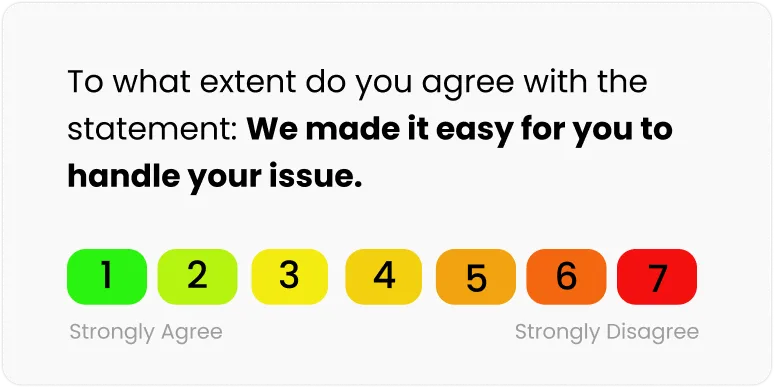
Trusted by 500+ teams who care about Customer Experience


How to use Affiniv CES Software
Create CES Surveys in Minutes
Affiniv offers an end-to-end CES software to create surveys, distribute them, analyze responses, and act to improve customer experience. It requires no coding and has a minimal learning curve. Quickly create beautiful CES surveys with branded theme and branching logic.
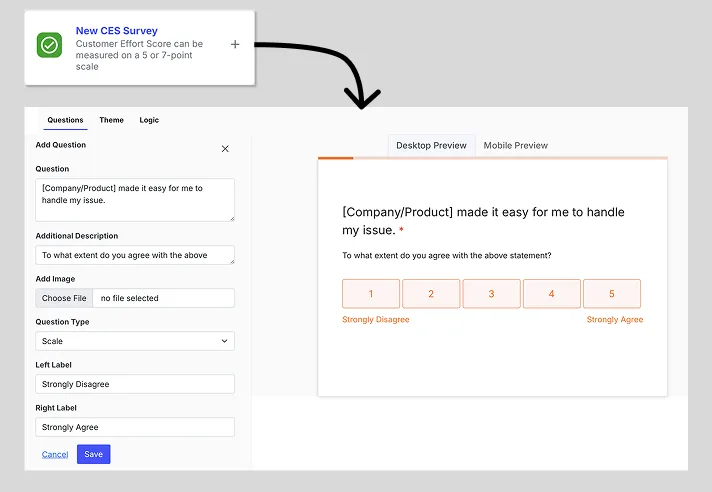
Start with ready-to-use templates
Create a survey using existing templates. Choose between a 5-point scale or a 7-point scale. Edit questions and update the scale labels. See the live preview for Desktop and Mobile devices as you make changes.
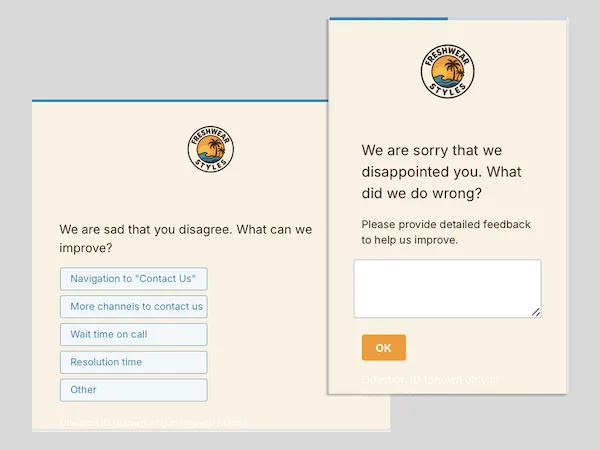
Add follow-up questions for more insights
Understand the "why" behind a rating. Get detailed feedback through follow-up questions. Use multiple-choice questions and/or open-ended questions, with branching and skip logic.
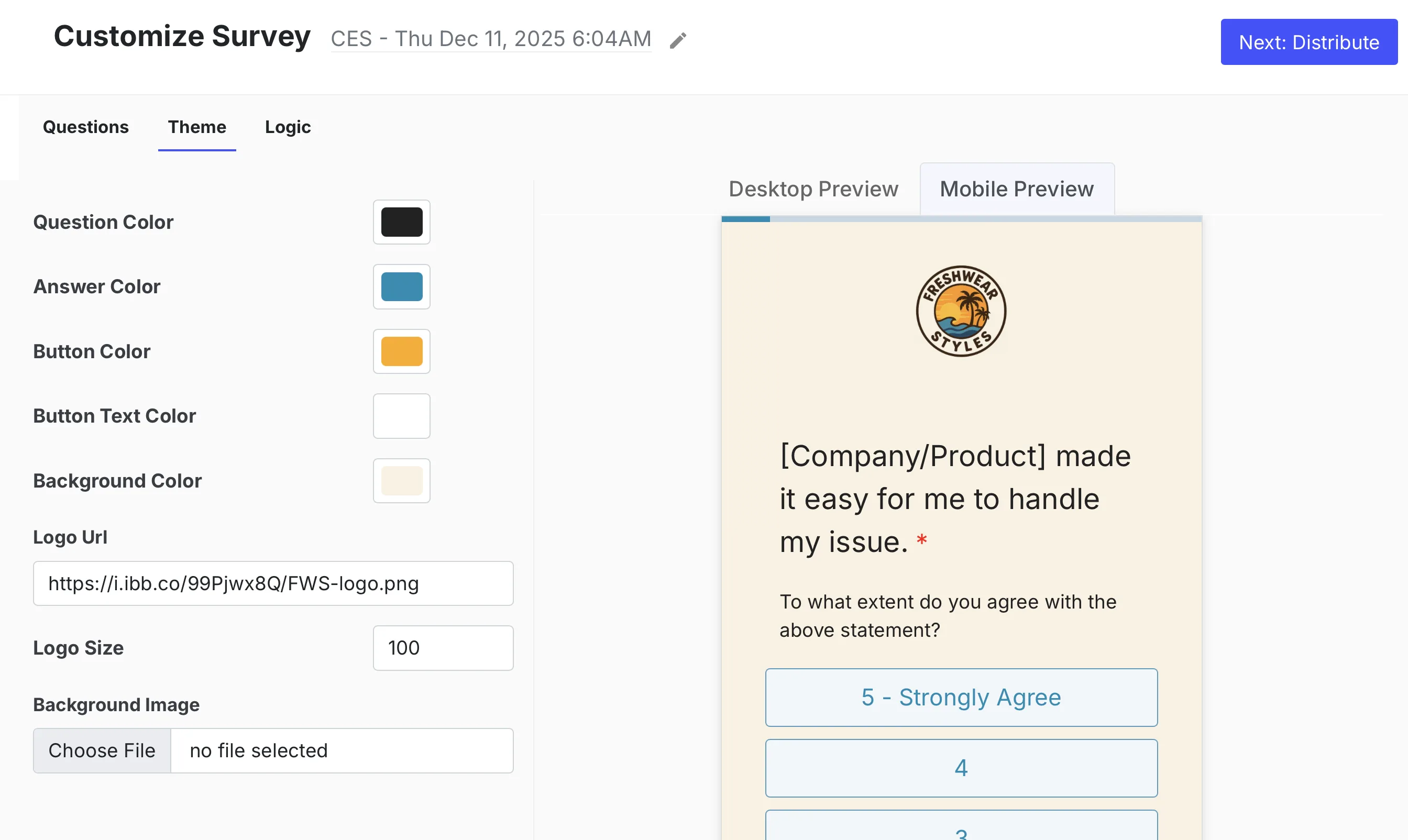
Customize with your brand theme
Use your brand themes like colors, logo, background colors, images, etc., to build trust with your customers. This enhances customer recall and increases survey response rate.
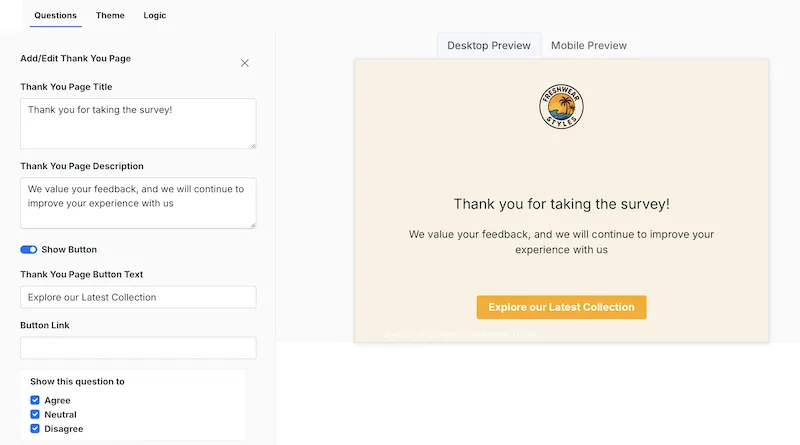
Add personalized Thank You page
Create separate Thank You pages for low-effort, medium-effort, and high-effort customers. Respondents see the relevant Thank You page based on their rating.
Automate Survey Distribution
Fully automate personalized CES survey triggers on multiple channels based on customer actions
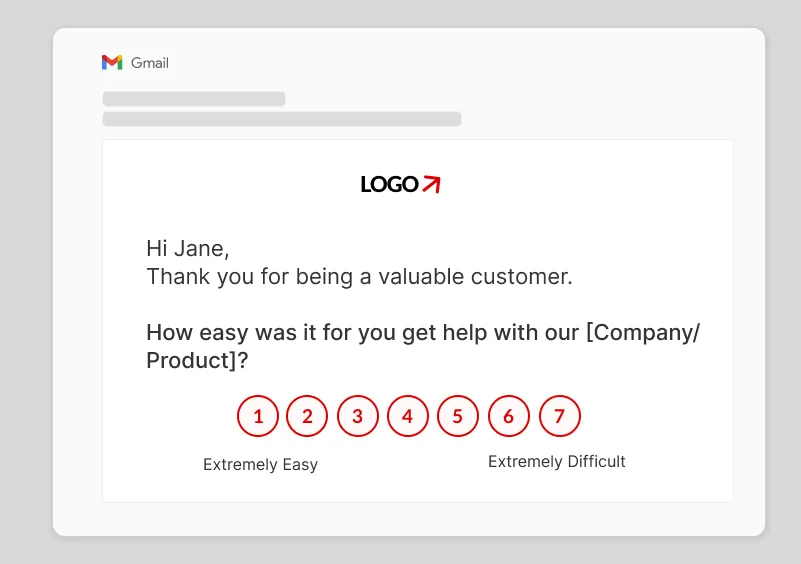
Send CES survey via Email
Without writing a line of code, send emails with survey scales embedded right within the email body. Customize the subject and use personalizations like First Name, Order number, etc. Gain customer trust by using your own domain to send emails.
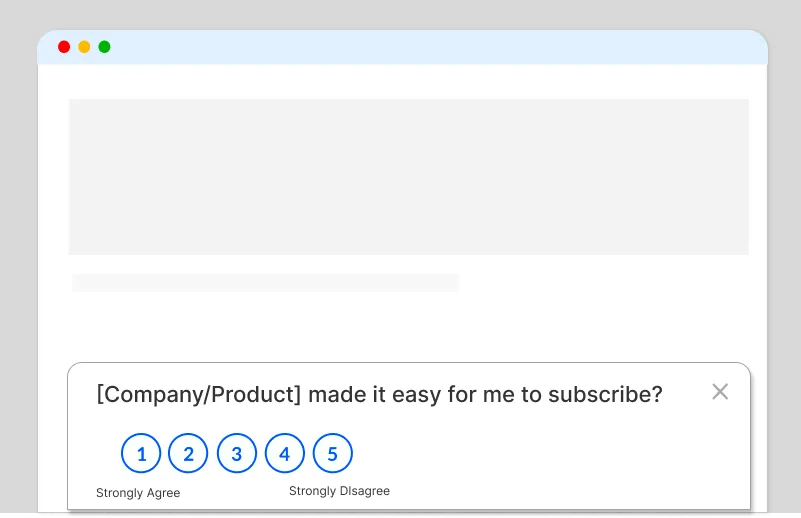
Show CES survey on your website or App
Get contextual feedback through website and in-app surveys. Show surveys in embedded mode on a page or as a pop-up. Configure rules to show the survey on specific pages, after a few seconds of delay, based on user properties and/or user actions.
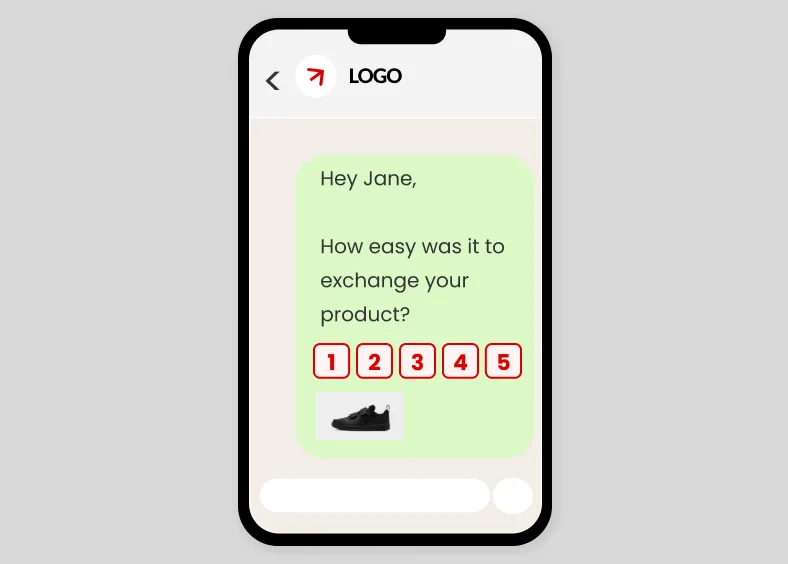
Send CES survey over SMS, WhatsApp
Reach out to your customers on their most preferred communication channels. All Affiniv surveys are mobile-friendly. Distribute them via WhatsApp or SMS for maximum reach and response.
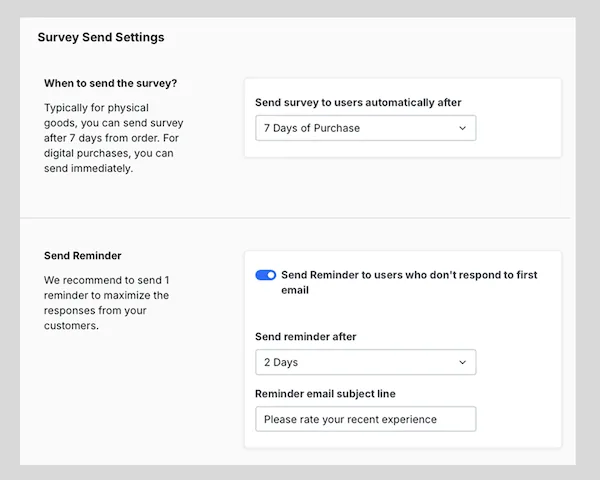
Automate survey triggers and reminders
Let the surveys run on autopilot. Define survey trigger points across customer touchpoints – onboarding, browsing, checkout, support interaction, etc. Choose the distribution channel(s) and set up automated reminders.
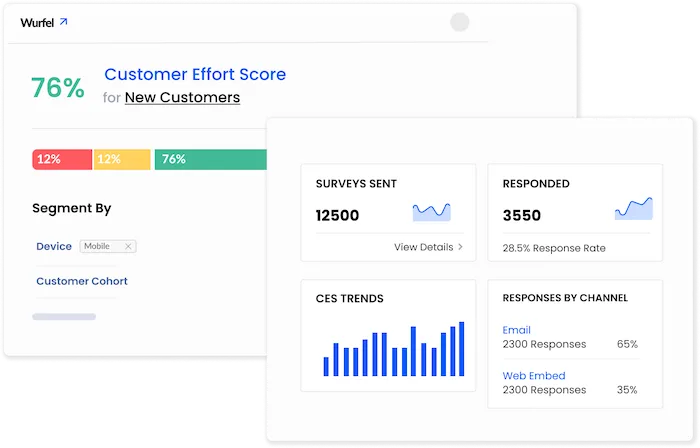
Get Real-time Insights from Analytics Dashboard
Understand customer effort with auto-calculated CES scores and AI-powered response analytics
Track CES score and trends in real-time
Use the analytics dashboard to track the auto-calculated CES score in real-time. Monitor the trend over time to measure progress. See the information against each response – like rating, contact details, order details, qualitative feedback, etc.
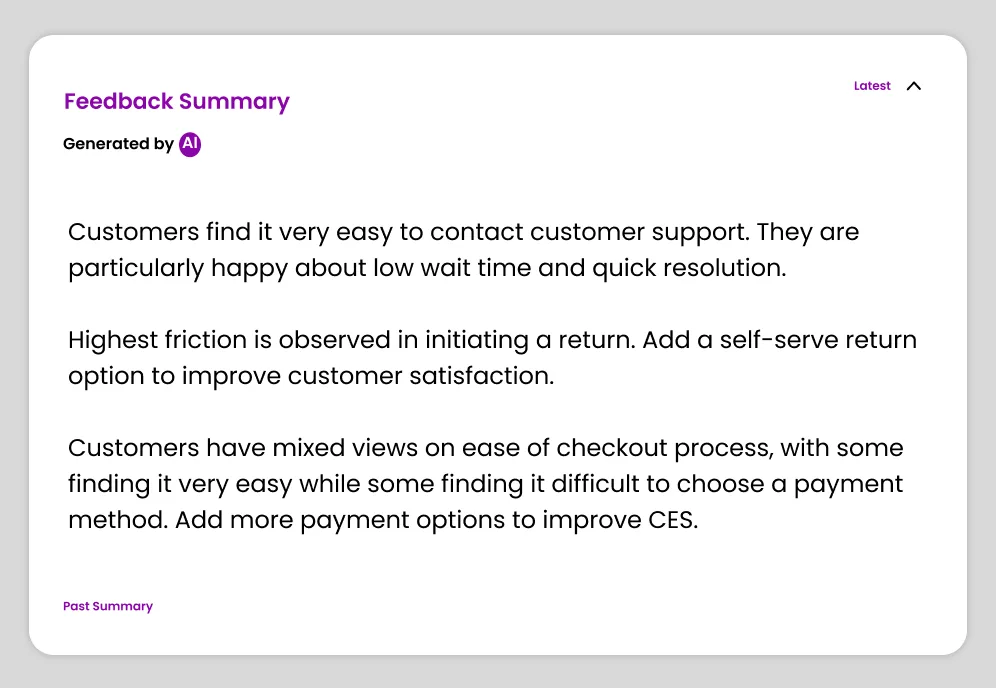
Get AI-generated actionable insights
Save time and effort by going through an AI-generated summary of all customer feedback. Understand what low-effort customers like and what high-effort customers dislike. Get clear focus areas and act on them to improve customer experience.
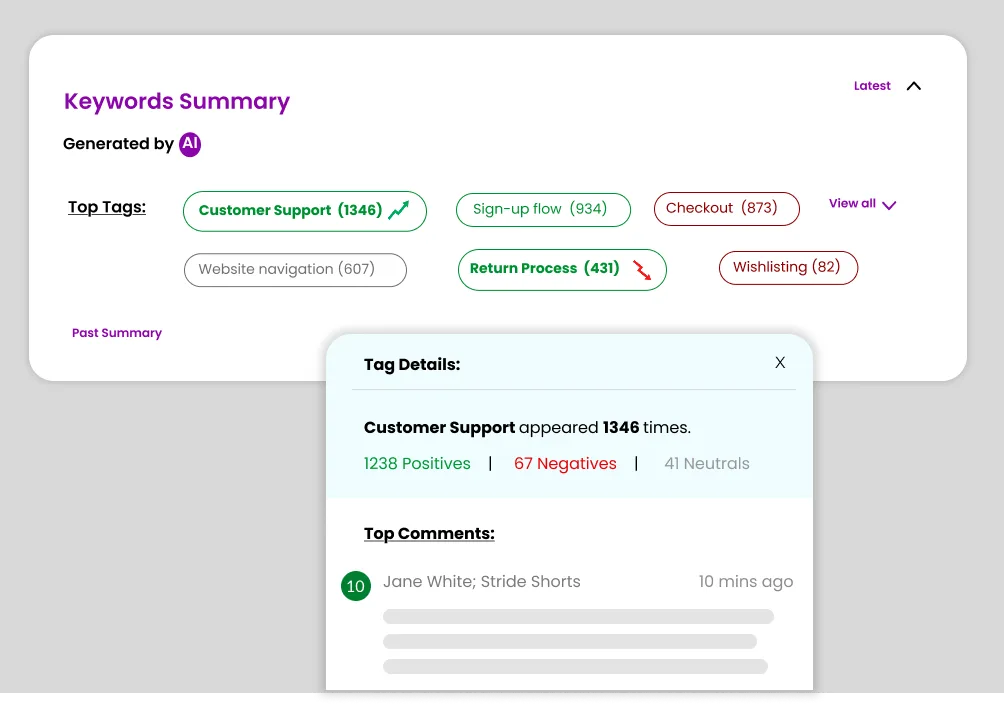
Uncover key themes and customer sentiment
Get a clear summary of keywords customers are talking about. For each keyword, know the overall customer sentiment – positive, neutral, or negative. Prioritize areas related to top negative keywords to reduce customer effort.
Use segment-wise reports for a deep dive
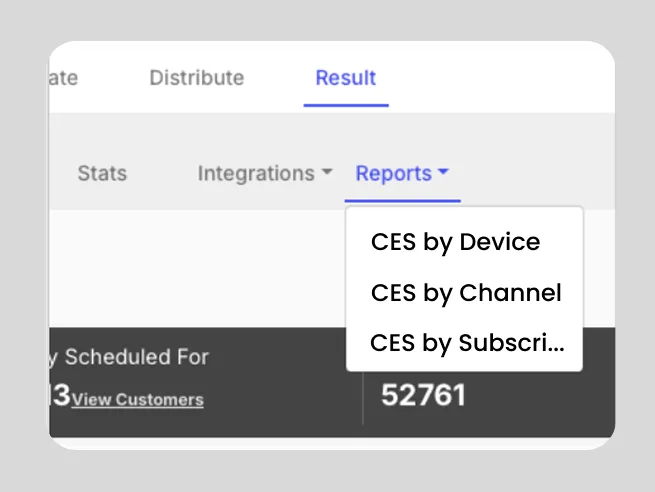
Segment CES score and responses by various attributes, such as device, demographic data points, support channel, product, subscription information, etc., to identify contributors.
Close the Loop with Integrations
Take timely actions to stop high-effort customers from churning and to turn low-effort customers into loyals
Set up Alerts for Quick Action
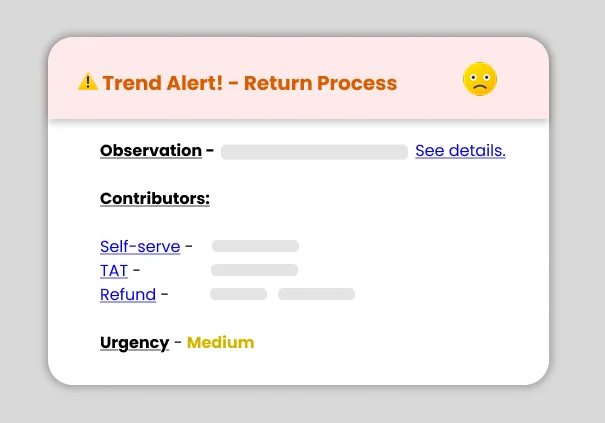
Use Affiniv's pre-existing integrations to receive alerts for critical reviews on your daily communication channels, such as email, Slack, Microsoft Teams, etc. Take timely action to delight the customers.
Use Automated Workflows to Close Loop
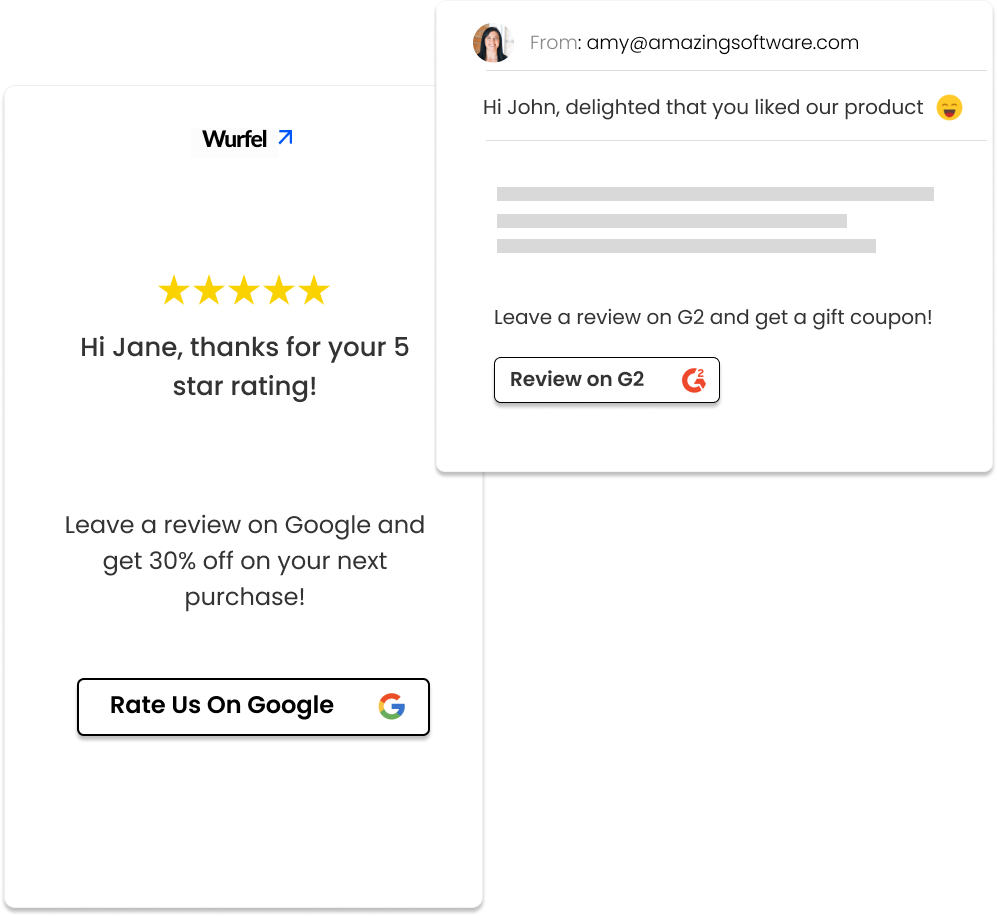
Automatically follow up with satisfied customers to post reviews on social media platforms. Use CRM integrations to automatically create tickets for dissatisfied customers. Reduce churn and boost business growth.
Invite Teams to Collaborate
Add unlimited users (with no extra cost) from different departments to view and act on customer feedback. Make Affiniv the Voice-of-Customer platform for the whole org and collaborate to make your product or services better.

Set up and Forget, with 25+ Integrations
Fully automate your CES loop – from survey triggers, to analytics, alerts, and task assignments

Experience it yourself in 10 minutes
No credit card required · Free up to 25 responses
Top customer-centric teams trust Affiniv to improve their CX
500+
Happy Businesses
1,500+
Surveys sent per min
92%
Our CES
How CES Boosts your Business Growth
Understand if customers find it easy to interact with your brand
CES helps you understand how much effort customers have to put in at various touch points. It could be during onboarding, browsing, using your product, or getting help.
Discover friction points and insights impacting customer experience
Use CES follow-up questions to collect additional feedback from your customers. This helps you find issues that affect customer experience.
Get new ideas on improving your products and business
Collect more ideas from customers on what you should do to improve your product and services. Deliver these and boost customer loyalty.
Why Choose Affiniv CES Software?
Simple to setup and use, no coding needed
Affiniv is meant to be a simple, no-code customer experience platform. You don't need the help of a developer to set it up. It comes loaded with features like survey maker, email & web survey configurations, an AI-powered analytics dashboard, built-in integrations, etc. These features are straightforward to use, with help available all the way.
Get great response rates with automations
With Affinv, you send surveys over multiple channels like email, SMS, web, WhatsApp. You can define conditions for automatic survey triggers based on customer actions. Also, configure reminders, which will be sent to customers who haven't responded yet. Multiple channels, automated survey triggers, and reminders together give you the best response rate.
Create great-looking surveys your customers love
You can create a great-looking survey in a matter of minutes. Use your brand theme guidelines while setting up surveys and survey emails. Use branching logic to show it to the right customer segment.
AI-Powered analytics dashboard to discover customer insights
With a powerful analytics dashboard, you can easily uncover the key customer insights to delight your customers. You can slice and segment the data like a pro without having to switch between tools.
Powerful, yet Affordable
Affiniv is built for businesses of all sizes. Does all the heavy-lifting for you without burning a hole in your budgets. That's one of the reason why brands switch to us from some of our larger competitors.
Trusted by Leaders Who Care About Customer Experience
"With Affiniv, it was a breeze for us to get our key metrics like NPS, CSAT. No coding, nothing complex. And yes, the support was amazing!"
Swapnil
Head of Customer Success
Indifi
"We integrated Affiniv to collect NPS from our customer base. Nicely integrates with our tech stack. Superb support. Zero hassle unlike some big names"
Chinmay
VP Sales and Operations
TalentRecruit Software
"For our customer feedback, we tried to work with many tools, like Google form, Typeform and sending the survey with ActivCampaign. With Affiniv it's one tool and all feedback in one place."
Leo Paul
VP Engineering
Capricoast & HomeLane
"Good tool to keep track of your user feedback. A number of our feature idea actually came from customer feedbacks. Bonus is the ability to increase reviews on G2!"
Rick
Customer Experience Consultant
MailerPlex Software
Frequently Asked Questions
- Affiniv auto-calculates CES in real-time. Use the Affiniv dashboard to see the score and past trend. In general, there are three primary methods to measure CES: Percentage Method — (Number of low-effort scores/Total number of respondents) × 100, ranges from 0-100%, the higher the better. Average Score Method — (Sum of all scores)/(Total number of respondents), ranges from 0-5/7 depending on scale used. Binary Method — (% low-effort responses) minus (% high-effort responses), ranges from -100% to 100%.
- CES can be sent at multiple touchpoints. It should be triggered immediately after a critical action to get contextual feedback. Some key trigger points are – closure of a support query, customer making a purchase, completion of the onboarding journey, and customer using a self-serve tool. Affiniv allows you to automate survey triggers for many such touchpoints.
- Yes, Affiniv has pre-existing integrations with many CRM tools like Zendesk, Freshdesk, Gladly, Salesforce, Hubspot, etc. You can use these to set up automated CES survey triggers – e.g., immediately after a support query is closed. You can also request custom integrations. We will be happy to help.
- Yes, Affiniv offers unlimited survey creation in all plans. Every touchpoint needs a different survey. With Affiniv, you can create, customize, and automate multiple CES surveys at once. In fact, you can combine CES, CSAT, and NPS without paying separately for them. Affiniv is a one-stop shop for your customer experience needs.
- It's a best practice to limit the survey length to 3-4 questions. Adding more questions reduces the survey completion rate. The good news is, Affiniv captures the responses for partially filled surveys. For example, if a customer responds to the primary CES question but drops off without filling out the follow-ups, Affiniv will use that response to calculate your CES.
- CES is used to measure how easy it is for customers to interact with your brand. CSAT shows how satisfied customers are with your product/processes. NPS is used to measure overall customer loyalty. You should use CES, CSAT, and NPS in combination to track your customer experience.
- Affiniv is one of the most affordable CES Softwares. It offers a Free Plan with up to 100 survey responses per month. All other plans come with a 14-day Free Trial. Unlike other CX platforms, Affiniv offers unlimited surveys, unlimited questions, and unlimited users with no extra charges.
How is Customer Effort Score (CES) calculated?
What is the best time to send CES survey?
Can I trigger CES surveys from my CRM using Affiniv?
Can I create multiple CES surveys using Affiniv?
Does adding follow-up questions to my CES survey affect response rate?
How is CES different than CSAT and NPS?
How much does the Affiniv CES Software cost?
Start measuring customer effort for Free today
Launch CES surveys in minutes · Identify friction instantly · Improve customer experience.